
 By Matthew Sullivan
If you are asking, “Where is my DHgate order?”, you are not alone. Thousands of buyers search for this every day after placing an order on DHgate. The main reason is simple, international shipping can be slow, and tracking updates are not always instant.
In most cases, your order is not lost. It is either still processing, in transit, or waiting for tracking updates to appear. This guide will help you understand how DHgate tracking works, how to track your order properly, and what to do if your tracking is not updating.
What Is DHgate Tracking & How It Works
DHgate tracking is a system that allows you to monitor your order from the seller’s warehouse to your doorstep. Once a seller ships your item, they provide a tracking number that connects your package to a shipping carrier.
This tracking number is then used on different platforms to show the movement of your parcel. It usually starts in China and passes through multiple logistics checkpoints before reaching your country.
Typical DHgate Tracking Stages
When you track your order, you will see different statuses. Understanding these helps reduce unnecessary panic.
Order Processing means the seller is preparing your item and has not shipped it yet.
Shipped indicates that the seller has handed over the package to a courier.
In Transit means your parcel is moving between locations or countries.
Customs Clearance shows your package is being inspected in your country.
Out for Delivery means it is on the way to your address.
Delivered confirms the package has reached you.
How to Track Your DHgate Order (Step-by-Step)
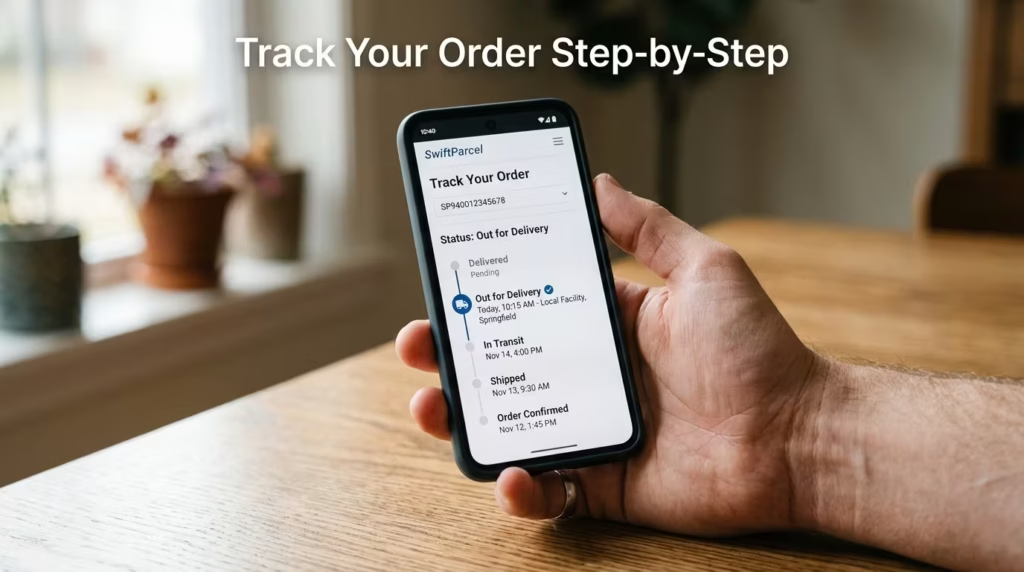
Tracking your DHgate order is simple once you know where to look. There are multiple methods you can use.
Method 1 – Using DHgate Account
Log in to your DHgate account and go to the “My Orders” section. Here, you will see all your purchases. Click on the specific order you want to track. You will find the tracking number along with shipping details. Copy that number for further use.
Method 2 – Using Tracking Tools
You can also track your order using third-party tools like 17TRACK. These platforms are useful because they support multiple carriers and often provide more detailed updates.
Simply paste your tracking number into the search bar, and the system will show the latest status of your shipment.
Where to Find Tracking Number
Your tracking number is usually available in three places. You can find it on your order page, in your shipping confirmation email, or in messages sent by the seller. If you cannot find it, the seller may not have shipped your order yet.
How Long Does DHgate Shipping Take?
Shipping time on DHgate depends on several factors, including the shipping method, your location, and customs processing.
Standard shipping usually takes between 7 to 30 days. Economy shipping can take 30 to 60 days or even longer. In some cases, delays may extend delivery to 90 days, especially during peak seasons or global disruptions.
It is important to remember that DHgate connects buyers with sellers worldwide, so shipping is not as fast as local eCommerce platforms.
Why Your DHgate Tracking Is Not Updating

One of the most common concerns is when tracking information stops updating. This does not always mean there is a problem.
Common Reasons
The seller has not actually shipped the item yet, even though it shows as shipped.
Tracking information may take 24 to 48 hours to appear after shipping.
Your package could be in transit between countries, where updates are less frequent.
Customs clearance can delay updates for several days.
In rare cases, the seller may provide an incorrect or fake tracking number.
Understanding these reasons can help you avoid unnecessary stress.
DHgate Tracking Fixes (What You Should Do)
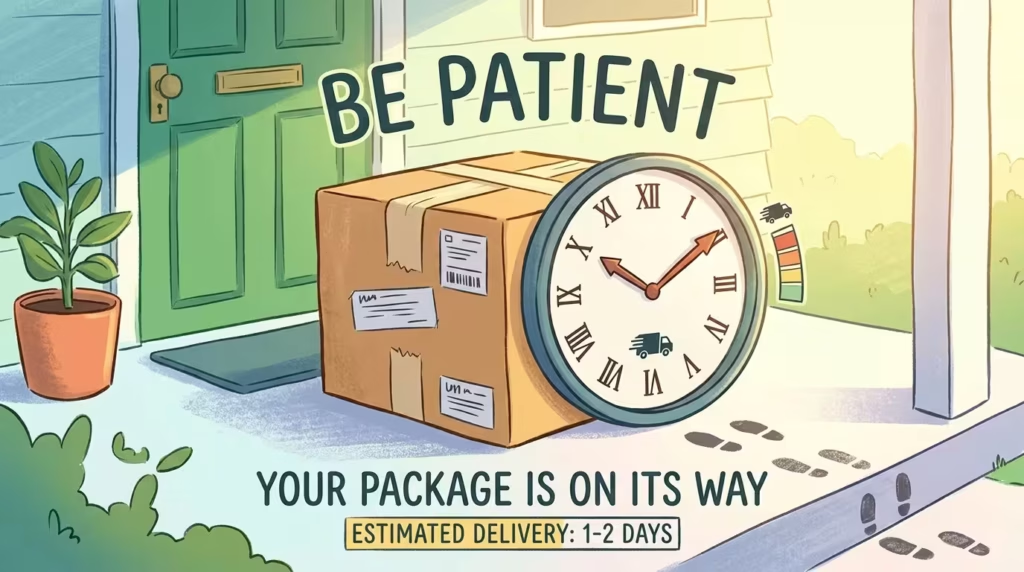
If your tracking is not updating, there are practical steps you can take.
Fix #1: Wait a Few Days
After receiving a tracking number, wait at least 2 to 5 days. Many tracking systems take time to activate.
Fix #2: Use Multiple Tracking Tools
Sometimes one platform does not show updates while another does. Try checking your tracking number on different tracking websites.
Fix #3: Contact the Seller
If there are no updates after several days, contact the seller directly. Ask them to confirm whether the item has been shipped and if the tracking number is correct.
Fix #4: Check Buyer Protection Period
DHgate provides a buyer protection period. Make sure you keep track of it and do not confirm delivery until you receive your item.
Fix #5: Open a Dispute
If your package does not arrive within the expected time or the tracking seems fake, you can open a dispute through DHgate. This allows you to request a refund or further investigation.
What If Your DHgate Order Is Stuck or Lost?
Sometimes packages appear to be stuck for a long time. This is usually due to logistics delays rather than a lost shipment.
Customs inspections can hold packages for days or even weeks. Shipping backlogs, especially during holidays, can also slow down delivery.
If your tracking has not updated for a long period, check the last known location of your package. Contact the seller for clarification and, if necessary, escalate the issue through DHgate support.
Best Tools for DHgate Tracking
Using the right tools can make tracking easier and more accurate.
The built-in DHgate tracking system is the first place to check. It gives basic updates directly from the seller.
Third-party tools like 17TRACK provide more detailed insights by combining data from multiple carriers.
Universal tracking websites are also helpful for tracking packages across different shipping networks.
FAQs About DHgate Tracking
No, a tracking number is required to monitor your shipment. Without it, you will need to rely on seller updates.
It may not be activated yet, or the seller may not have shipped your order. In some cases, the number could be incorrect.
Tracking updates can occur every few hours or take several days, depending on the shipping stage.
Yes, but delays in updates are common, especially during international transit.
Pro Tips to Avoid DHgate Tracking Problems
Choose sellers with high ratings and positive reviews. Reliable sellers are more likely to provide accurate tracking information.
Select faster shipping options if available. This reduces waiting time and improves tracking accuracy.
Always save your tracking number as soon as it is provided. This helps you monitor your shipment easily.
Keep an eye on the buyer protection deadline. This ensures you can take action if something goes wrong.
Final Thoughts
DHgate tracking can sometimes feel confusing, especially when updates are slow or missing. However, in most cases, your package is simply in transit and will arrive eventually.
Understanding how tracking works, using reliable tools, and knowing when to take action can make the entire process much easier. Instead of worrying, stay informed and follow the right steps to track your order effectively.
Explore More:
Best Wireless Earbuds Under $200 (2024 Tested)